Experience: Networking
|
|
|
|
Below you will find further information regarding my experience with business solutions and networking projects:.

 Servers Software
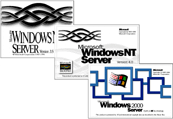
Over a decade of knowledge gained of using the range of Microsoft Windows Network Operating Systems. In the client/server environment this started with OS/2 LAN Manager v2.1.
This configuration proved extremely reliable and never had any downtime. With the change in business requirements and the need to provide cost effect dial-in access the LAN Manager system was subsequently upgraded to Windows NT 3.5 to provide a RAS solution.
These servers were later joined by a Windows NT 3.51 server when the need for an e-mail system (Exchange 4.0 beta) raised its head.
With the introduction of more powerful servers the entire domain was replaced online with Windows NT 4.0 servers. Careful planning and execution ensured that the project went entirely successfully and the users noticed nothing except for the increased performance of the network
In my most recent role, I have been responsible for upgrading Windows NT servers to Windows 2000 Servers, again with the achieved objective that users are not affected in anyway.
It is with this hands-on experience with which I have achieved MCSE status in Windows NT 4.0 and subsequently Windows 2000.
Originally became introduced to Exchange when I subscribed the company to the beta programme for Exchange 4.0. The company had previously been running internal e-mail using the Windows For Workgroups file based e-mail for a number of years but now required the facility to send external e-mail's.
After reviewing the options Exchange was selected and installed.
This was later upgraded to Exchange Server 5.0 and subsequently performed an Exchange Server migration to a more powerful server as well.
Whilst working at a later employer I was responsible for the European e-mail servers in an Exchange multi-site environment. These ran a number of connectors including the Site Connector, SMTP connector and in one case a X.400/DRAS Connector as a backup during an office relocation. E-mail's were also available to staff using Outlook Web Access (OWA) with secure socket layer (SSL).
It was with this employer that I again performed several Exchange Server migrations to more powerful hardware and also a migration from a legacy system (Netscape Messaging Server) to Exchange whilst maintaining all previous e-mails.
The MCSE electives that I hold include Exchange 5.x and Exchange 2000.
My experience of IIS and Proxy Server covers its many facets.
ftp - provided the ability to transfer the test bed files over network in one go from the Digalog Engine Test Bed controllers to the office network. Previously on large test runs the test results would not fit on one floppy disk, and thus requiring the engineer to remove the test data in multiple stages.
NAT - as the company out grew the limited public IP address space a Proxy server was installed to provide NAT.
Web Caching - was enabled at the time of the Proxy installation to perform web caching to improve performance.
Web access monitoring - provided for a management log to monitor which sites users were visiting.
WWW - use with Secure Socket Layer (SSL) to provide Outlook Web Access (OWA) to Exchange 5.5 users.
Management of a SQL Server backend to the corporate Contact Management system within Europe.
Clients 
An efficient IT department makes use of the very services they provide to their own advantage. Computerisation is often used for repetitive tasks. One of these tasks is that of providing desktops and laptops to users.
By performing automated builds time can freed up at the initial installation, troubleshooting eased by ensuring a proven consistent platform exists on all machines, and rapid rebuilds can be performed where a machine has suffered system corruption.
I have designed and implemented numerous unattended scripts for both Windows NT 4.0 and Windows 2000. In each case the operating system and as many as 15 separate end user applications have been built into the client rollout.
The key objectives of the scripts have been to:
- Ensure a consistent look and feel of that of the blue textual setup screens used my Microsoft for OS installation
- Ensure that all input required for the specific machine build (host name, language selection etc.) is performed right at the start of the build to eliminate the requirement for technicians to revisit the machine during the build
- Provide a facility where by the technician is provided with information across the network as to the progress of the build to ensure that machines are swiftly back in service once complete.
- Eliminate as far as possible any post build manual "tweaks"
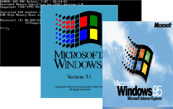
I have a wide range of experience of connecting an array of disparate clients to networks. This includes Microsoft operating systems such as DOS, Windows 3.x, Windows 9x.
However, my experience is not limited purely to Microsoft as I have managed networks on which I have connected numerous TCP/IP enabled equipment such as Digalog Engine Test Controllers, and AVL Indi-scopes, as well as the more usual Apple Macintoshes, HP JetDirect enabled printers, and various Axis products (Network cameras, Scanner Servers and NAS boxes).
Hardware 
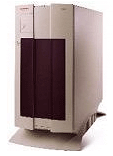
Have over 10 years experience using a range of servers including Compaq ProSignia and ProLiant range, IBM NetFinity and Dell PowerEdge.
Hardware RAID experience on servers using both Mylex and Dell PERC/2 controllers.
Client machines I have supported include Compaq, Dell, and Apricot in both desktop and laptop format.
Experience of tape backup media from 4mm DAT, DLT and AIT in single mode and auto-changers.
Also have experience of building machines from components enabling me to gain skills in troubleshooting PC hardware related problems.
The installation of a Cisco 1003 series ISDN router became the driving force to achieve the industry qualification of Cisco Certified Network Associate (CCNA).
With the natural progression into a pan-european WAN, the qualification was increased to Cisco Certified Design Associate (CCDA) as I moved into large Cisco 1600, and 2500 series routers as well as the Cisco 3000 VPN Concentrators.
Although the main infrastructure of a network is typically less exciting than the server hardware the cabling and ancillary devices are vital to the smooth running of the network.
I have experience of both thin coax and category 5 cabling systems, the later in a structured cabling environment.
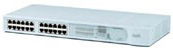
On the hub and switches side I have installed and maintained both unmanaged and managed devices from manufacturers such as 3Com, HP, D-Link, and NetGear.
Management and Administration 

To achieve network uptimes running into hundreds of days there are many areas that have to be tackled. One of these is that network documentation has to be present and carefully managed and maintained. An indepth knowledge of a word processor package is vital to ensure that the toc, indexes and references between the numerous sections is current and accurate.
An example of some of the network documentation that I have been wholly responsible for producing can be found on the downloads page of this site.
There are many ways to reduce support costs. One very easy way is to ensure that end-users are appropriately trained and have information "at their fingers" to limit first line support calls.I produced a collection of end-user documentation to aid users which included how to find their way around the network, locate servers and services, and manage their emails when using remote access and VPN.
My experience and knowledge was also captured into documentation for first line support to cover areas such WAN troubleshooting and ISP migrations.
A sample of these documents can be found on the downloads page of this site.
Reporting is a common requirement however reporting for the sake of it is a waste of resources (remember that data is meaningless until it is converted into information).
What percentage of your systems resources are being utilised?.... and more importantly when will they be exhausted? Will you know before this occurs?
I have developed several automated systems using the Microsoft Office suite to collect various pieces of data from disparate systems on multiple servers and at the single click of a button. These produce "Management Ready" reports on network utilisation and performance. Further more the historical data is analysed in the process and used to proactively predict when the measured resources would be exhausted there by keeping the systems running on a 24x7 basis and keeping fire fighting to a minimum.
When managing network servers one of the first ports of call in troubleshooting should be the event logs. Unfortunately many network administrators do not think about the event log until its too late and the vital information held within it has long gone.
Tools exist in the Windows Resource Kit to export the event logs to text files however in doing so they lose alot of the information by not exporting the binary data. The solution to the problem was to develop the SAVELOG.EXE application.This is a command line application which allows the network administrator to by the use of parameters to save any of the event logs to a given directory, and optionally name the exported file using the current date, or clear the log.
As the application is a command line application I have always used it in a scheduled CMD file so that every day all logs are written to disk should they be required at a later date.
The executable file maybe downloaded from this site via the downloads page.
Maintaining business continuity relies heavily on numerous proactive tasks that every Network Manager should insist being in-place. This covers anti-virus, backup and power management (UPS) of which I have experience with products from various manufacturers including APCC, Veritas, Dr. Solomons, Norton, and Symantec.